Blogs > How to Tell If the November 2026 Core Update Hit You

How to Tell If the November 2026 Core Update Hit You

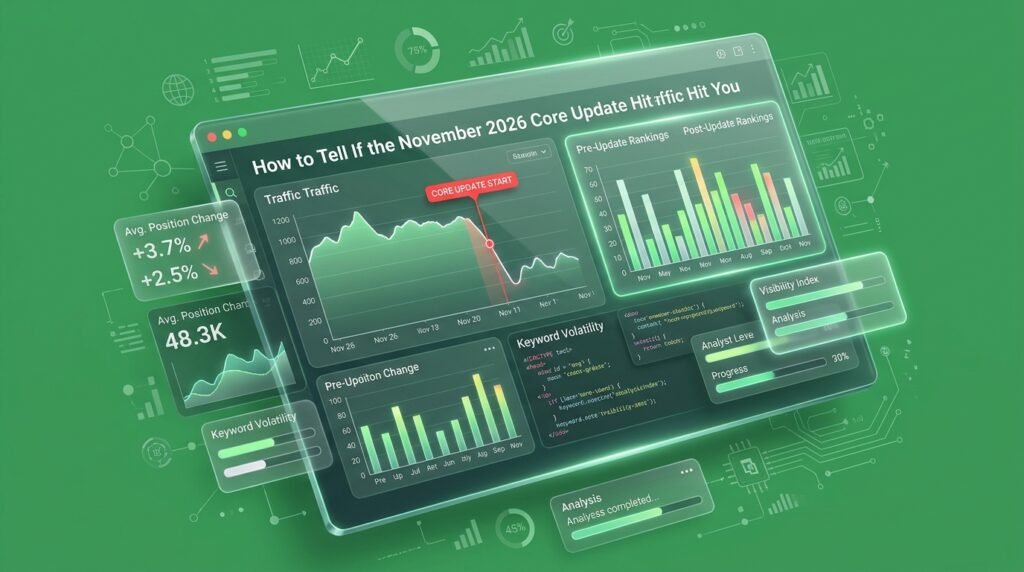
You checked your website traffic this morning, and something doesn’t look right. Your organic clicks are falling, important pages are losing visibility, and the rankings you’ve spent months building are suddenly moving.

Your first thought? The November 2026 core update.

But don’t start rewriting your website or deleting content just yet. A traffic drop during a Google update doesn’t automatically mean the update hit your site. You need to identify what changed, when it changed, and which pages are actually affected.


Here’s how to separate a genuine ranking problem from normal search fluctuations.

Your SEO Strategy Needs More Than Quick Fixes

A Google core update doesn’t mean your website has failed. It means it’s time to understand your performance more closely. Review your data, identify weaknesses, and focus on creating genuinely useful content. At “TheMayk”, we help businesses make smarter SEO decisions through research, strategy, and website analytics.

The November 2026 core update is live, but your traffic tells a bigger story

Google officially began rolling out the November 2026 core update on November 10, 2026, at 10:06 AM Pacific Time. The update is currently active, according to the Google Search Status Dashboard.

That means website owners have a reason to pay attention. However, there’s a difference between noticing a ranking movement and proving that an algorithm update caused it.

Google’s core updates make broad changes to its ranking systems. They don’t target individual websites or specific pages. A website can lose visibility even when its content hasn’t changed because other pages may now be considered more relevant to a search.

The update is a signal to investigate, not a reason to panic.

If you’re already monitoring organic performance, start recording your current clicks, impressions, and average positions. You’ll need that baseline to understand what happens as the rollout progresses.

Your traffic might be dropping for a reason that has nothing to do with Google

Here’s where website owners often make the wrong move.

They see fewer visitors, assume Google has downgraded their website, and immediately change titles, rewrite articles, or publish more content.

That’s not a diagnosis. That’s guessing.

Organic traffic can fall for several reasons, and the timing can make unrelated problems look like an algorithm update.

Before blaming the November 2026 core update, consider these possibilities:

  • Seasonal demand: People may simply be searching for your products or services less frequently.

  • Technical problems: Server errors, accidental noindex tags, crawling issues, or broken redirects can affect search visibility.

  • Search demand changes: Your target audience may be using different search terms or showing less interest in a particular topic.

  • SERP changes: New search features or competing results can affect clicks even when your rankings haven’t changed significantly.

  • Tracking problems: Changes in analytics configuration or reporting can make traffic appear lower than it actually is.

Google itself lists these factors in its official guide to debugging Search traffic drops.

A falling traffic graph doesn’t tell you what broke. The pattern behind it does.

Your Search Console data will show whether rankings actually changed

If you want to know whether the November 2026 core update affected your website, start with Google Search Console.

Not GA4. Not a third-party SEO score. Not a keyword tracker showing a few positions moving. Search Console gives you the actual search performance data you need to investigate.

Open your Search Console account, select your website, and go to Performance → Search results.

Make sure these four metrics are enabled:

Metric

What it tells you

Clicks

How many people visited from Google Search

Impressions

How often your pages appeared in search results

CTR

How often people clicked after seeing your result

Average position

Where your website appeared in search results on average

Google explains these metrics in its official Search Console Performance report documentation.


Search Console Help

Here’s how to interpret what you’re seeing:

  • Impressions and clicks both falling: Your pages may be losing search visibility, or demand for those searches may have declined.

  • Impressions staying stable but clicks falling: Investigate CTR, titles, descriptions, and changes to the search results page.

  • Average position dropping significantly: Your pages may be losing ranking positions for important searches.

  • Clicks falling while average position stays relatively stable: Check CTR and search demand before assuming a ranking problem.

Don’t judge the website using one metric. The combination tells the real story.

Stop Leaking Revenue to "Optimized" Mediocrity

Key Takeaway

Five checks that will help you identify the damage

Once you’ve opened Search Console, don’t spend your time staring at the main performance graph. You need to find the pages, queries, and search patterns behind the movement.

Here’s the process we’d follow.

1. Compare your performance before and after November 10

Start by establishing a baseline.

In Search Console:

  1. Open the Performance report.

  2. Select the Date filter.

  3. Choose a comparison between relevant date ranges.

  4. Compare clicks, impressions, CTR, and average position.

  5. Keep the Search type set to Web while investigating ordinary organic search.

Because the update began on November 10, compare your available pre-update data with the days following the announcement. Keep the comparison periods similar in length.

However, early comparisons are monitoring signals, not proof of an update impact.

Google recommends waiting at least one full week after a core update finishes rolling out before making your main assessment. Then compare the week after completion with a week before the rollout began.

You can follow Google’s date comparison instructions.

 
Google for Developers

A website-wide traffic number can hide the actual problem.

One important service page might be losing rankings while your other pages continue performing normally.

Go to the Pages tab in Search Console and identify URLs with the largest click and impression declines.

Look for patterns such as:

  • Several blog posts losing visibility together.

  • Important product pages dropping in search results.

  • Service pages losing impressions for commercial keywords.

  • Previously strong articles disappearing from their usual positions.

Pay attention to whether the losses are concentrated in one section or spread across your website.

If only two articles are affected, you don’t need to rebuild your entire website.

Find the pages responsible before changing anything.

Now move to the Queries tab.

This is where you can see which searches are bringing people to your website and which ones have started losing clicks.

Look at your most valuable search terms rather than every keyword in the report.

For example, imagine an e-commerce website previously ranked near the top for several product-related searches.

After the update, those searches start appearing lower in Google results.

That deserves investigation, especially if multiple related keywords show the same pattern.

Check:

  • Which high-value queries lost clicks?

  • Did their impressions also decline?

  • Has their average position changed?

  • Are competitors appearing above your pages?

  • Are some queries performing better while others decline?

Don’t confuse a decline in one keyword with a website-wide ranking problem.

Your keyword patterns reveal where the real competition is happening.

Sometimes the overall performance graph looks normal because one audience segment is hiding another’s decline.

For example, your desktop traffic might remain stable while mobile visibility falls.

Use the Devices and Countries tabs to investigate.

Pay attention to:

  • Mobile versus desktop performance.

  • Countries responsible for most of your organic traffic.

  • Search queries that perform differently across locations.

  • Pages that have lost visibility on particular devices.

This matters particularly for e-commerce businesses serving multiple markets.

A website can maintain its overall traffic while losing valuable visibility in the country that generates most of its revenue.

Google Search Console supports these filters and comparisons in its advanced reporting documentation.

5. Rule out technical problems before blaming the update

Here’s something many website owners overlook.

A ranking decline doesn’t always come from content quality or Google’s ranking systems.

A technical change can prevent Google from accessing important pages, which creates a completely different problem.

Check your:

  • Page Indexing report for new indexing problems.

  • Robots.txt file for accidental crawling restrictions.

  • Important URLs for unexpected noindex tags.

  • Canonical tags for incorrect page references.

  • Server availability and response errors.

  • Recent website migrations or URL changes.

If your website recently underwent a redesign, migration, or major technical update, investigate that timeline too.

Google specifically recommends checking technical issues, security reports, and manual actions when diagnosing search traffic losses.

Use its official traffic troubleshooting guide to work through the possibilities.

 
Google for Developers

Don’t treat a technical error like a content problem.

The real damage isn't always a traffic drop

Now here’s the part most website owners miss. A core update doesn’t simply decide that one website is good and another is bad. Google’s ranking systems reassess the overall relevance and usefulness of search results. Other pages may become stronger candidates for a query, even if your own content hasn’t changed. That means losing a position doesn’t automatically mean your content is poor. However, if several important pages experience sustained, significant declines, it’s worth examining what those pages offer compared with the results now appearing above them.

Ask yourself:

  • Does the page answer the actual search intent?

  • Does it provide original information or simply repeat existing articles?

  • Is the information accurate and current?

  • Does it demonstrate genuine experience or expertise?

  • Does it offer something useful that competing pages don’t?

Google’s people-first content guidance provides questions for evaluating content quality, originality, expertise, and trust.


Google for Developers This is where SEO becomes more than inserting keywords into headings. A page needs to earn its place in search results.

What should you actually do if the update affects your website?

Once you’ve identified a consistent decline, resist the temptation to change everything at once. You need a recovery plan based on evidence, not panic.

Here’s the approach we’d recommend.

Step 1: Document the losses.

Create a list of affected URLs and their important search queries. Record clicks, impressions, CTR, and average position so you can track future changes.

Group affected pages by topic, content type, search intent, and website section. Look for repeated weaknesses instead of treating every URL as a separate issue.

Check whether your articles provide original insights, useful explanations, accurate information, and clear answers. Remove unnecessary sections that add nothing to the reader’s experience.

Resolve indexing errors, incorrect redirects, broken pages, and other technical problems that prevent Google from accessing your content properly.

Step 5: Monitor the results.

Track affected pages regularly, but don’t expect immediate recovery. Google explains that some improvements can take several months to be recognized by its systems.

Most importantly, avoid making drastic changes to pages experiencing only small ranking fluctuations. Google specifically advises against unnecessary changes to pages that are already performing well.

Read its core update recovery guidance before making major decisions.

 
Google for Developers

Recovery starts with understanding the problem, not publishing more content.

Your next ranking move should be based on data, not fear

The November 2026 core update is a reminder that search visibility isn’t something businesses can take for granted. But reacting to every ranking movement is just another way to waste time and money.

At “TheMayk”, we believe meaningful organic growth starts with understanding what the data is actually telling you. Our approach connects business and website analytics with technical reviews, content strategy, and custom performance dashboards so businesses can make decisions with clarity.

If your website is losing visibility and you can’t identify the reason, contact our agency at THEMAYK. Let’s find the problem, build the right strategy, and get your growth moving in the right direction.

Stop Guessing. Start Growing.

Conclusion

Don't Let One Update Decide Your SEO Strategy

The November 2026 core update is a reminder to keep your SEO strategy focused on quality, not quick fixes. Monitor your rankings, understand what has changed, and improve pages where needed. At “TheMayk”, we help businesses turn website data into smarter decisions and sustainable growth. Don’t panic over rankings. Build a strategy that lasts.

See How Our Agency Grow Your Traffic Into Conversions

SEO – unlock sustainable growth with proven search strategies.
Content Strategy – magnetic content that earns links, shares, and brand authority.
Paid Media – precision campaigns built for measurable ROI.

Blogs

How to Stop Overpaying for Black Friday Meta Ads

How to Stop Overpaying for Black Friday Meta Ads You’re about to raise your Black Friday Meta ads budget, and your CPM already looks ugly. Your media buyer says cut spend until it settles. Your agency says push harder and trust the algorithm. Both are guessing. Lebesgue’s 2026 BFCM benchmark shows Meta CPM sitting 51% […]

How to Tell If the November 2026 Core Update Hit You

How to Tell If the November 2026 Core Update Hit You You checked your website traffic this morning, and something doesn’t look right. Your organic clicks are falling, important pages are losing visibility, and the rankings you’ve spent months building are suddenly moving. Your first thought? The November 2026 core update. But don’t start rewriting […]

How to Fix a Slow Shopify Store Before Black Friday

How to Fix a Slow Shopify Store Before Black Friday You’re preparing to spend more on Black Friday ads, your product catalogue is ready, and your discounts are planned. But your Shopify store takes several seconds to load, product pages feel sluggish, and the Add to Cart button doesn’t respond immediately. Your first instinct might […]

LET'S TALK GROWTH

Ready to scale your brand?

Tell us a bit about your goals, and we’ll show you how we can help.

How we use your info: Used strictly to review your project, prepare tailored insights, and reach out for a 1-on-1 strategy call. Zero spam, zero shared data.