
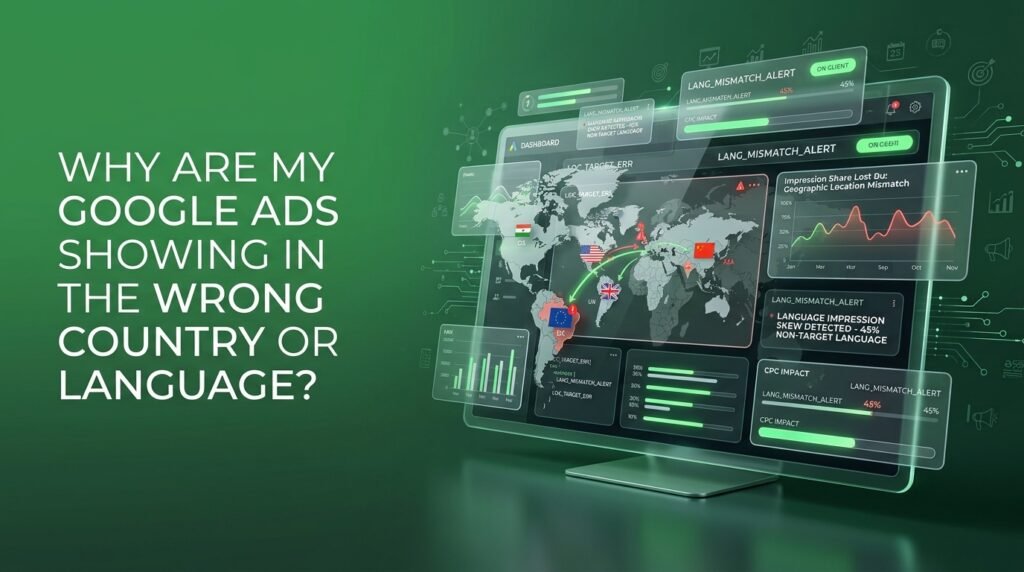
Blogs > Why Are My Google Ads Showing in the Wrong Country or Language?

Why Are My Google Ads Showing in the Wrong Country or Language?

Your campaign settings say United States. Your search terms report says otherwise clicks from Manila, a chunk of Eastern Europe, a city you’ve never shipped to.

Someone on your team blames the algorithm and starts stacking location exclusions on top of location exclusions. That’s treating the symptom.

The real issue is sitting in a setting almost nobody opens: the gap between where someone actually is and where Google thinks they’re interested.

Fix Your Location and Language Defaults in Under Five Minutes

Correcting wasted spend requires updating two primary settings. First, navigate to your campaign’s Location Settings, expand Location Options, and switch the target setting from “Presence or interest” to “Presence: People in or regularly in your targeted locations.” Second, review your Language Settings to match your target audience’s query habits, ensuring your location exclusions are similarly set to strict presence.

Your Targeting Says One Country. Google Reads It As a Suggestion

Here’s what most advertisers don’t realize when they set up location targeting: Google Ads doesn’t default to showing your ads only to people standing inside your target area.

It defaults to “Presence or interest” a setting that serves your ad to people physically in your chosen location and to people who’ve searched for it, recently visited it, or consumed content about it, no matter where they’re actually sitting. Google’s own targeting documentation confirms this is the recommended default for most Search campaigns, specifically because it captures more clicks from people showing interest in the area.

More clicks isn’t the same as more of the right clicks.

If you sell services only within your own country, “interest” is exactly the crack your budget is falling through. Someone searching “movers in Toronto” from a laptop in Manila still counts as showing interest in Toronto, and your ad is eligible to show them.

Broad geo targeting is a business decision, not a default you inherited by accident. Real estate, travel, and education accounts often want it. A local plumber almost never does.

Google Isn't Guessing Your Language. It's Guessing What You Understand

Language targeting has the same problem, and it trips people up for a different reason: they assume Google is reading the searcher’s browser language and stopping there.

It isn’t. Google’s own language targeting documentation lays out a more layered system query language, account settings, and a set of behavioral signals Google’s AI uses to estimate which languages someone actually understands.

Google’s own example makes the mechanics obvious: a user with a Spanish-set browser who regularly searches in English gets shown ads in both languages, because the system decided she understands both. Set your campaign to English only, and she may never see it. Set it to “all languages,” and you might reach searchers you never intended to.

Neither outcome is a bug. Both are the setting working exactly as designed — just not the design most advertisers assumed they picked.

Your ad isn’t leaking into the wrong language. Your targeting was never as narrow as you thought it was.

Stop Leaking Revenue to "Optimized" Mediocrity

Key Takeaway

What to Check Before You Blame the Algorithm

Run through this before you touch your budget or start adding another round of exclusions.

Confirm whether you're on "Presence" or "Presence or interest."

If your business only serves people physically in your area, switch to “Presence.” It’s a one-click fix that most accounts never get shown.

Excluded regions still default to “Presence or interest” unless set otherwise, which is why excluded countries sometimes still leak impressions through.

They don’t inherit from each other, and a language mismatch in one rarely means the same mismatch exists in the other.

Search behavior drifts. A setting that was accurate in January can be leaking budget by June if nobody’s watching. This is exactly the kind of drift a proper analytics and tracking audit is built to catch.

Treat wrong-country clicks as a funnel problem, not a one-off cleanup.

If irrelevant geography is inflating your click volume, it’s quietly distorting every conversion rate downstream of it. Worth running through a full funnel breakdown before you draw conclusions from the numbers.

Inflated reach from the wrong geography is one of the quieter reasons that alert shows up in the first place we broke down the rest of what’s usually behind it here.

Fix the setting before you fix the budget. One of those actually solves the problem.

The Targeting Audit We Run Before Any Google Ads Account Goes Live

This is standard checklist territory for us before a client’s Google Ads and Search campaign ever goes live: location setting, language setting, and exclusions, confirmed against the actual service area — not the assumed one. Owais Khatri leads that build across Google and Meta, and it’s one of the first things he checks, before a single dollar goes into the account.

Most of the time, the fix takes under an hour. Finding it usually takes someone actually opening the settings tab.

If your account has been quietly paying for clicks outside your market, let’s find out how much. Book a free strategy call at themayk.com and we’ll tell you, in writing, what’s actually leaking.

Conclusion

How to Stop Budget Leakage and Reclaim Control

When your ads appear in unintended countries or languages, it isn’t an algorithmic glitch it is Google Ads functioning precisely as configured by default. By auditing your campaign settings, swapping “Presence or interest” for “Presence,” and validating language signals against actual user intent, you immediately plug budget leaks, safeguard conversion metrics, and ensure every dollar directly reaches your real prospective customers.

See How Our Agency Grow Your Traffic Into Conversions

SEO – unlock sustainable growth with proven search strategies.
Content Strategy – magnetic content that earns links, shares, and brand authority.
Paid Media – precision campaigns built for measurable ROI.

Blogs

Landing Page or Product Page: Where Should You Send Meta Ads Traffic?

Landing Page or Product Page: Where Should You Send Meta Ads Traffic? You’re spending $4,000 a month on Meta ads and every single click lands on the same product page your organic customers browse. Your agency says the creative needs work. It doesn’t. We’ve audited hundreds of ad accounts, and the leak is almost never […]

Should You Include Duties in Your Prices or Charge Them at Checkout?

Should You Include Duties in Your Prices or Charge Them at Checkout? You price the product at $60, add shipping, and your checkout shows $71 flat. Three days later, your customer gets a text from a courier asking for $14 in duties before the box moves another mile. Most brands treat that as a shipping […]

Why Can’t I Exclude Placements in Meta Ads Anymore?

Why Can’t I Exclude Placements in Meta Ads Anymore? You go to uncheck Audience Network like you’ve done for three years. The checkbox isn’t there. In its place is a message telling you that excluding placements, platforms, devices, and operating systems is no longer available for your ad sets. Your first instinct is to assume […]

LET'S TALK GROWTH

Ready to scale your brand?

Tell us a bit about your goals, and we’ll show you how we can help.

How we use your info: Used strictly to review your project, prepare tailored insights, and reach out for a 1-on-1 strategy call. Zero spam, zero shared data.